Introducing Style Explorer/Creator!
Jul 8, 2026

It’s true that Niji can draw a lot of styles, but it’s often difficult to make use of the styles that Niji can draw.
In the mathematical sense, these “styles” are planes of numbers in a space of very high dimension, but that explanation is not useful when you are trying to make your anime catgirl maid look pretty.
What we need is a visual way to “walk around,” so to speak. The analogy is quite apt because some styles do look closer to others. What this means in this space of numbers is that the “distance” between them is closer. But representing it as a useful distance has been historically difficult.
The new Style Explorer/Style Creator flow helps you visually stroll around the space of “style”
If you go to nijijourney.com/explore?tab=styles_random
You’ll be greeted with a list of styles.

Clicking on the style will open its description:

This is the id number of the style. You can use it to try the style on mobile, web, or discord.
This is the shortcut button for trying the style. As soon as you click it, it will send a copy of your last prompt in this style
This is the button to open up the Style Creator feature, which allows you to “walk around” the style.
When you click on that “Style Creator” button from the previous section, you’ll enter this screen. Note the 3 important sections:

In the main panel, you’ll be presented with a grid of styles. When you see a style that you like, click on it to go “towards” the style. You’ll notice that as you select and scroll, the styles get narrower and narrower as the system refines what you are looking for.
In the top text box, you’ll have a place to input a test prompt.
As you scroll down and select the styles you want to go towards, your test prompt will render into the bar on the right.
💡
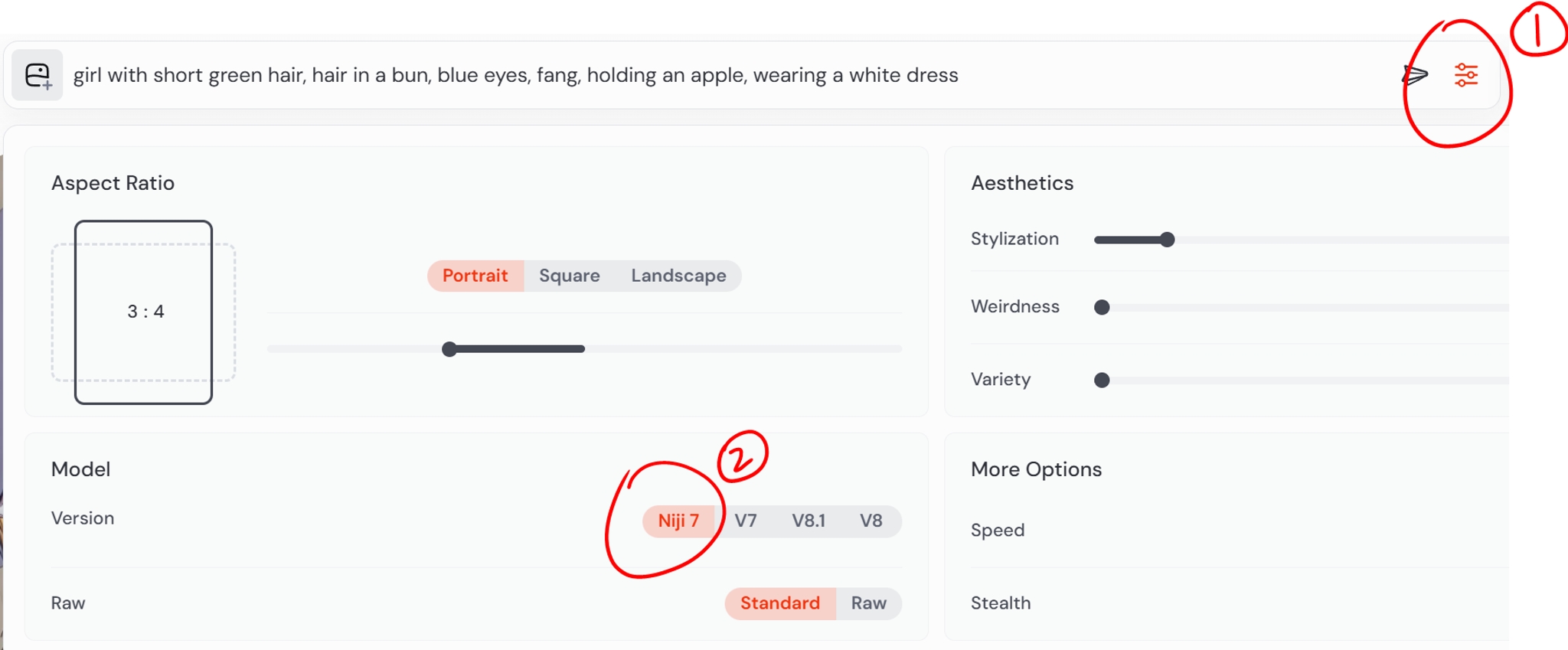
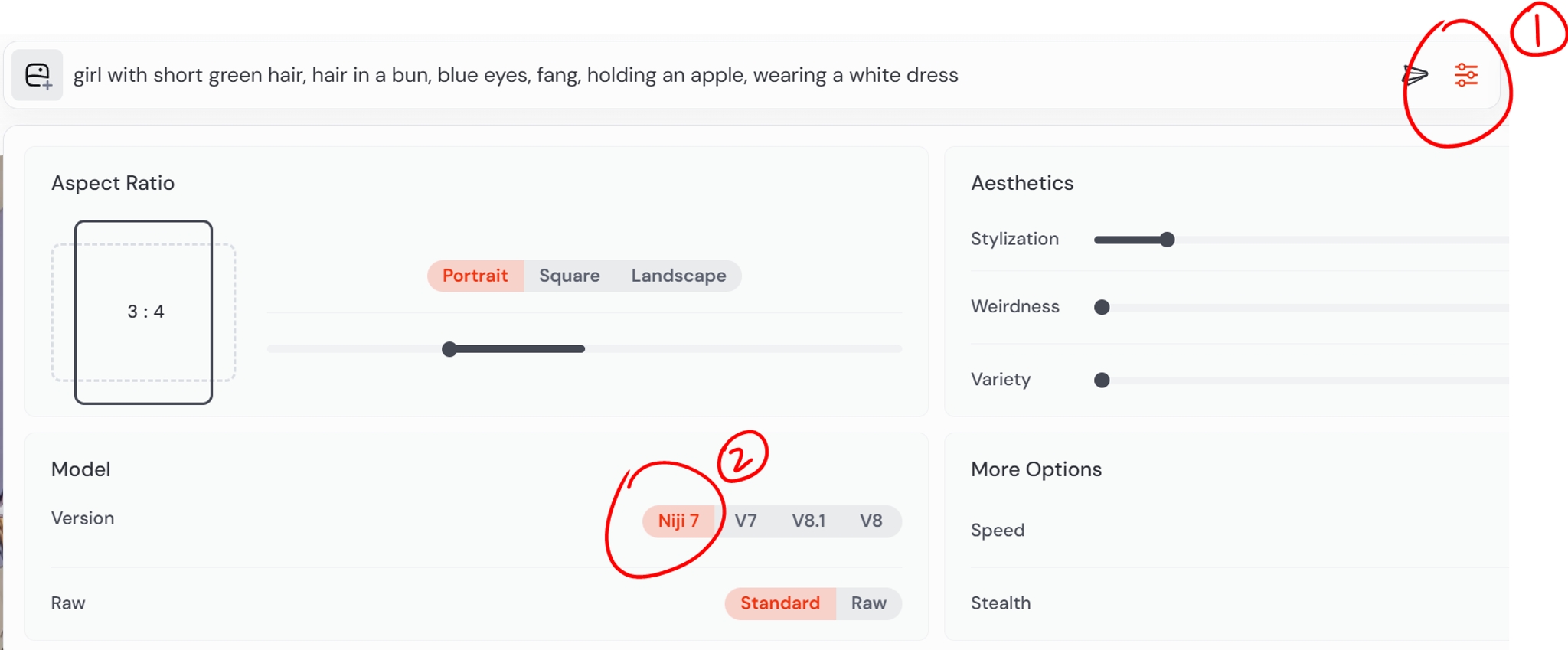
If you have used Midjourney style creator before, it’s important to go into settings and switch it to Niji 7, or else the system remembers your preferences and gives you the Midjourney styles!
To review the style codes generated in the bar from the style creator session, simply go back through your history in the create tab, (highlighted on the left), and all the codes will be visible to you in the prompt history on the right.

Personally, I find it really useful when I have a picture that is already 80 percent of the what I am looking for, and we want to tiptoe the rest of the way there!

girl with short green hair, hair in a bun, blue eyes, fang, holding an apple, wearing a white dress --sref 6083237654::1
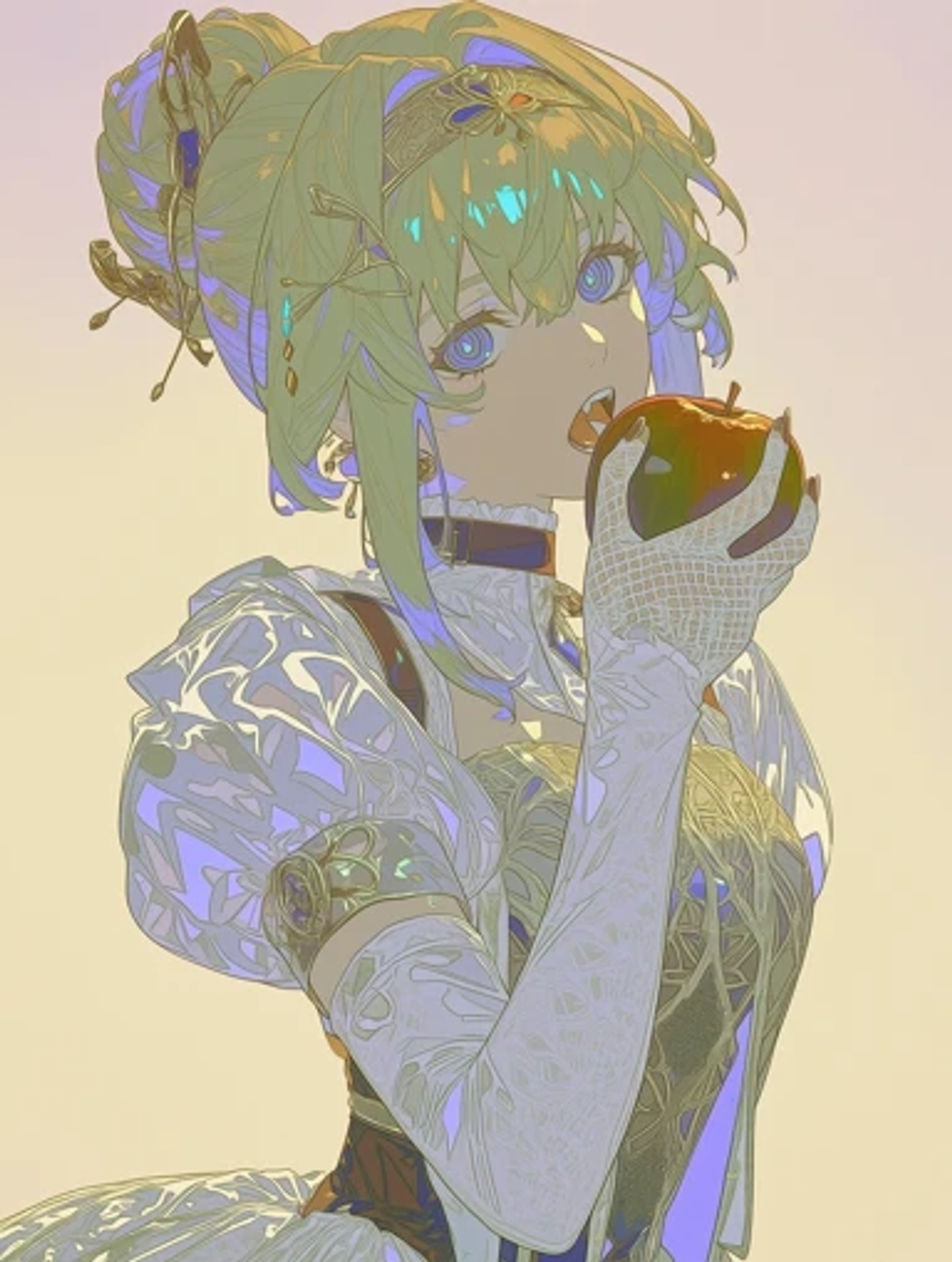
girl with short green hair, hair in a bun, blue eyes, fang, holding an apple, wearing a white dress --sref 7296523329::1
Here, I really like the style, but I wished it were a bit more anime, and so we got there with a few clicks!
You may need to switch your style creator version to niji 7. you can do so by using the settings here.
The styles on the left are not your prompt: they are just sample pictures representative of the styles being explored. The bar on the right will show you the style that you are making, with your own prompts.

Click on the “create” button to go back to your history to see all the pictures that you’ve generated in your style creator session.

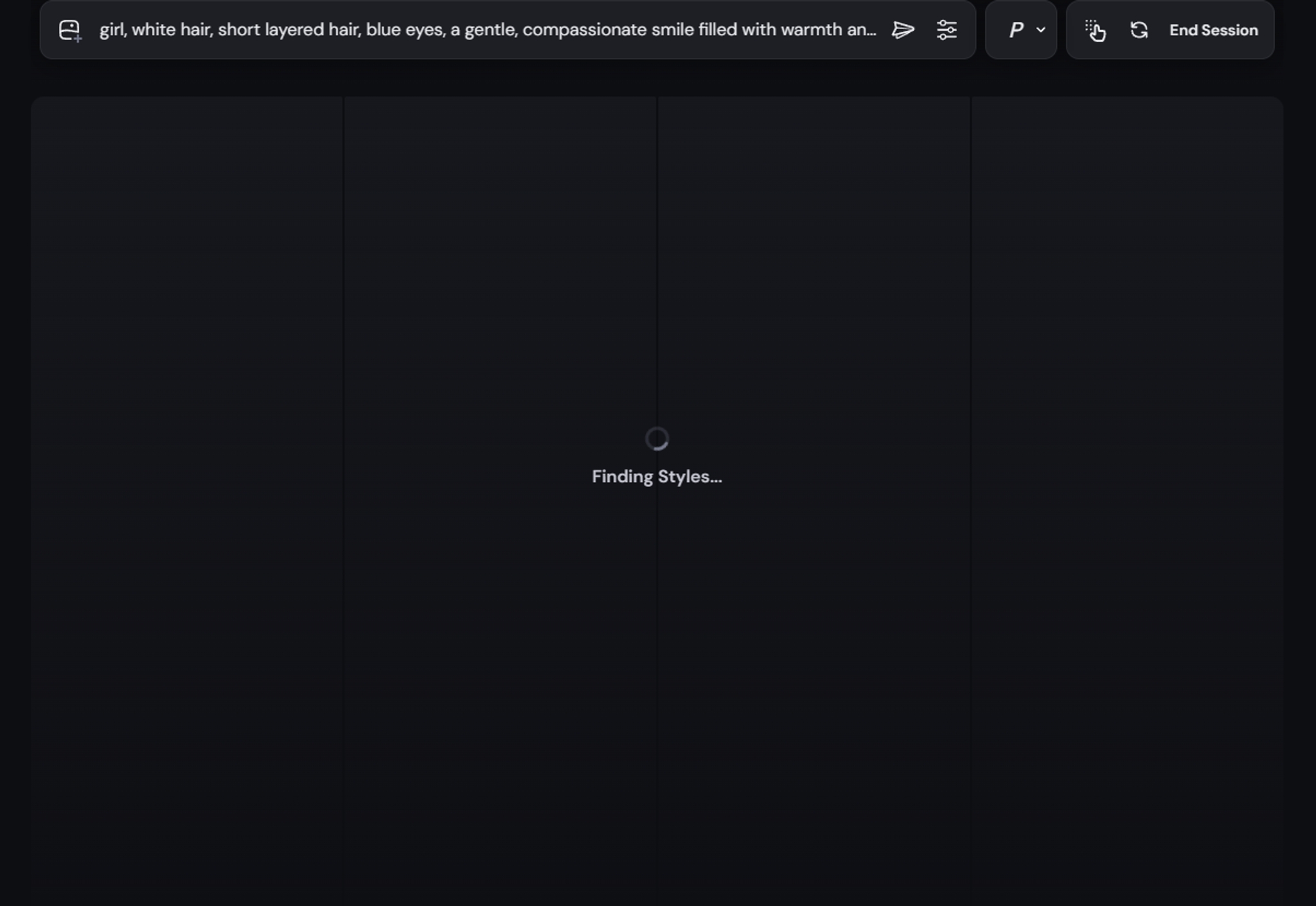
If you see an empty screen like this when you try to load the styles, try turning off ad-block on your browser! It’s a known issue, and we’re sorry for the inconvenience.
In a previous post, I talked about how style is how much you care, the nascent field of “aesthetic horoscopes,” and how cats in pajamas appear vastly different to different people.
Now, I’m going to talk about this topic through another lens, which is the idea of crafting a world through a style.
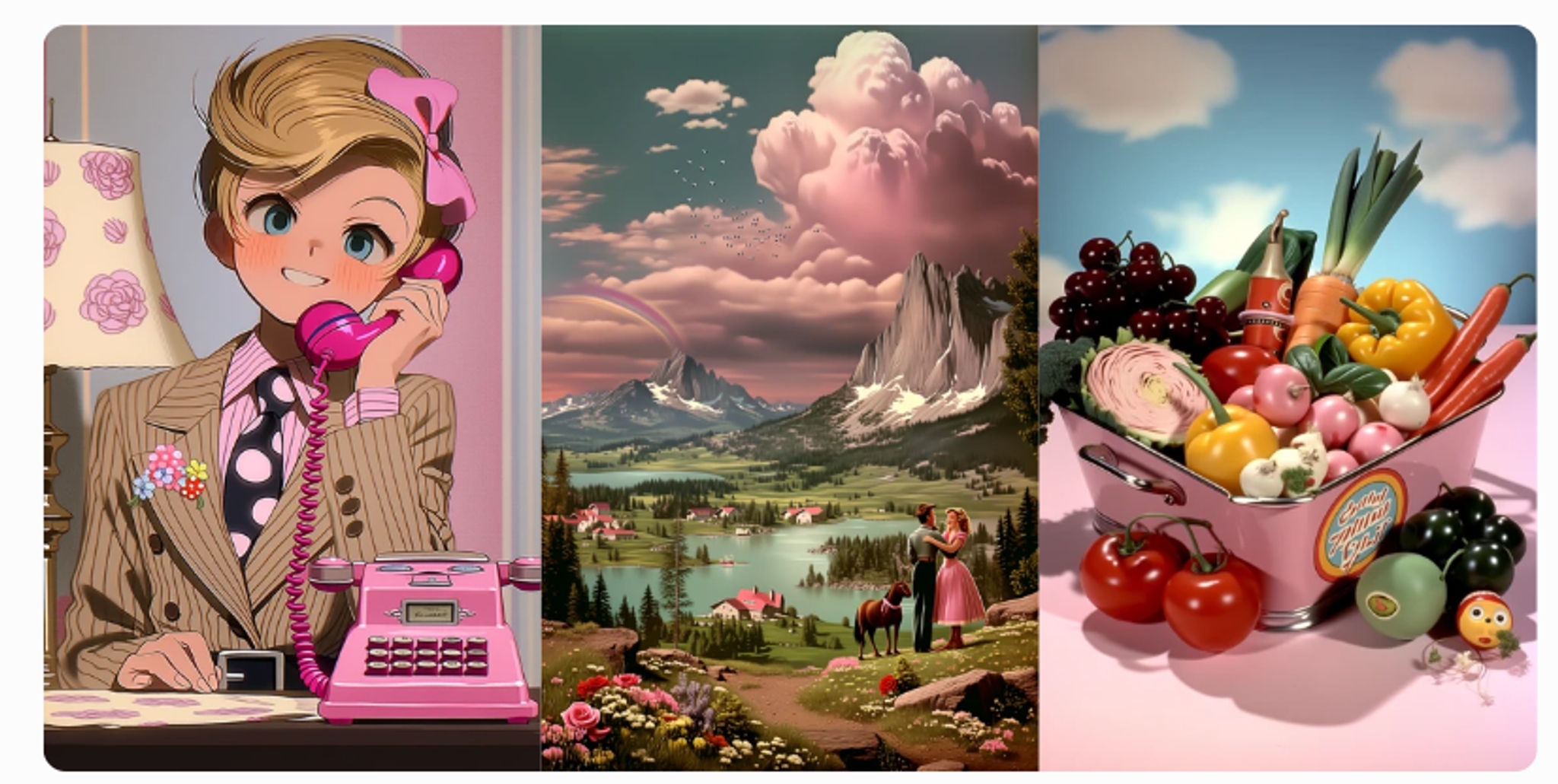
Let me bring your attention to the subjects of the sample grids you are presented with when you pick styles in the explore section.
You might notice a pattern in the display: It’s always person, place, thing.

And the marvelous thing is that these 3 images provide a window to a world of this style. I invite you to try this mental exercise of imagining the person picture in the environment picture.
Some worlds are robust. You can imagine them by just looking at 3 pictures.

Other worlds are more fragmented. You’re not quite sure how the person would live in the place.
So now you wonder why this is worth thinking about.
Reality is continuous. We have laws of physics which define the way that things run. There’s an infinite degree of detail in the simulation. Pretend that it looks like this:

In comparison, the world of a style is discrete. It is not simulated to infinite degrees of detail. It only exists where there are pictures drawn, and nowhere where there is no picture drawn. Pretend that it is like this:

And the beauty of the thing is that when it’s viewed, the brain of the viewer connects it back up, so it becomes more like this: everything in between is what we call “imagination”

So by picking the right discrete picture points, we can lead the imagination to amazing places.

Or it the same set of style pictures even show up completely different in somebody else’s imagination.

That connection is the “world,” and it exists beyond a single picture. It exists in all the pictures that you didn’t see, inferred from the picture that you did see.
So here, you should question me. Surely, it is not possible to connect pictures that are way too far apart, right?
I think that is one of the beautiful things about style development. It is indeed difficult to connect them, but the moment that you can connect them is magic. Take this screenshot from Octopath Traveler as an example:

The background is realistic, but the characters are cartoons. This is impossible according to the laws of physics. You can’t have a 2D person live in a 3D universe. However, here, in this universe, they can, and it looks completely natural, because our brains have connected it. Our brains were able to connect it because the artists in this production have done a very wonderful job smoothing out any complaints our brains may make about the disconnect between the two different ways of drawing the person vs. the background.
That’s the cool part about style. we provide snapshots, and the human brain does the rest. And in these places when it curves differently from reality, it becomes fantasy. Fantasy drawn in a strictly realistic technique is often times stiff and boring: it comes alive in these places artists choose not to show, where you are invited to fill in the blank yourself.
It boggles my mind that this sort of monumental, institutional work is now available at everyone’s fingertips. It took a lot of resources and time to develop a style like the 2.5D retro look. The traditional path for an individual creator is to either wait for a large team of people to do it and then study it, or pour your entire life into crafting one yourself. But now, you can also give it a try from the comfort of your home, in a few hours’ time!
It starts with deciding what sort of cat in pajamas lives in this world.
And then you imagine a man, a woman, a landscape, a basket of tomatoes, and so on, you build the world up one picture at a time. Save these pictures that you make. By the end of a thousand subjects, I am certain your world will be a thing of beauty and magic.
So please give it a try!
As always, thank you for your support on this journey.
Related Articles
niji・journey
What is niji・journey?
Welcome to niji・journey, a state-of-the-art AI that draws custom anime illustrations, just for you! A magical collaboration, designed together between brilliant minds at Spellbrush & Midjourney. Whether you’re looking for a cute chibi character or a dynamic action scene, niji・journey can bring your vision to life. We can’t wait to see what you create!


Where can we find you?
If you’re an AI researcher and you love anime, please shoot us an email over at [email protected].
Otherwise, if you're talented and on the job market, you can find other open positions on our careers page.
For commercial inquiries and studio licensing, please contact [email protected].