Convert Your Photos into Anime!
2024. 11. 25.
One of the most popular requests we get around here is “How do I convert my photos into anime?”
Today, after many months of making soft recommendations, I am pleased to announce that we finally released a feature that can do it! You can turn any picture into anime by using our new “Retexture” feature on the Midjourney/Niji web editor.
It’s especially useful this time of year. As the holiday season approaches, why not try making a thoughtful, personalized gift by converting a precious photo into art?
This is a step-by-step guide to convert your picture!
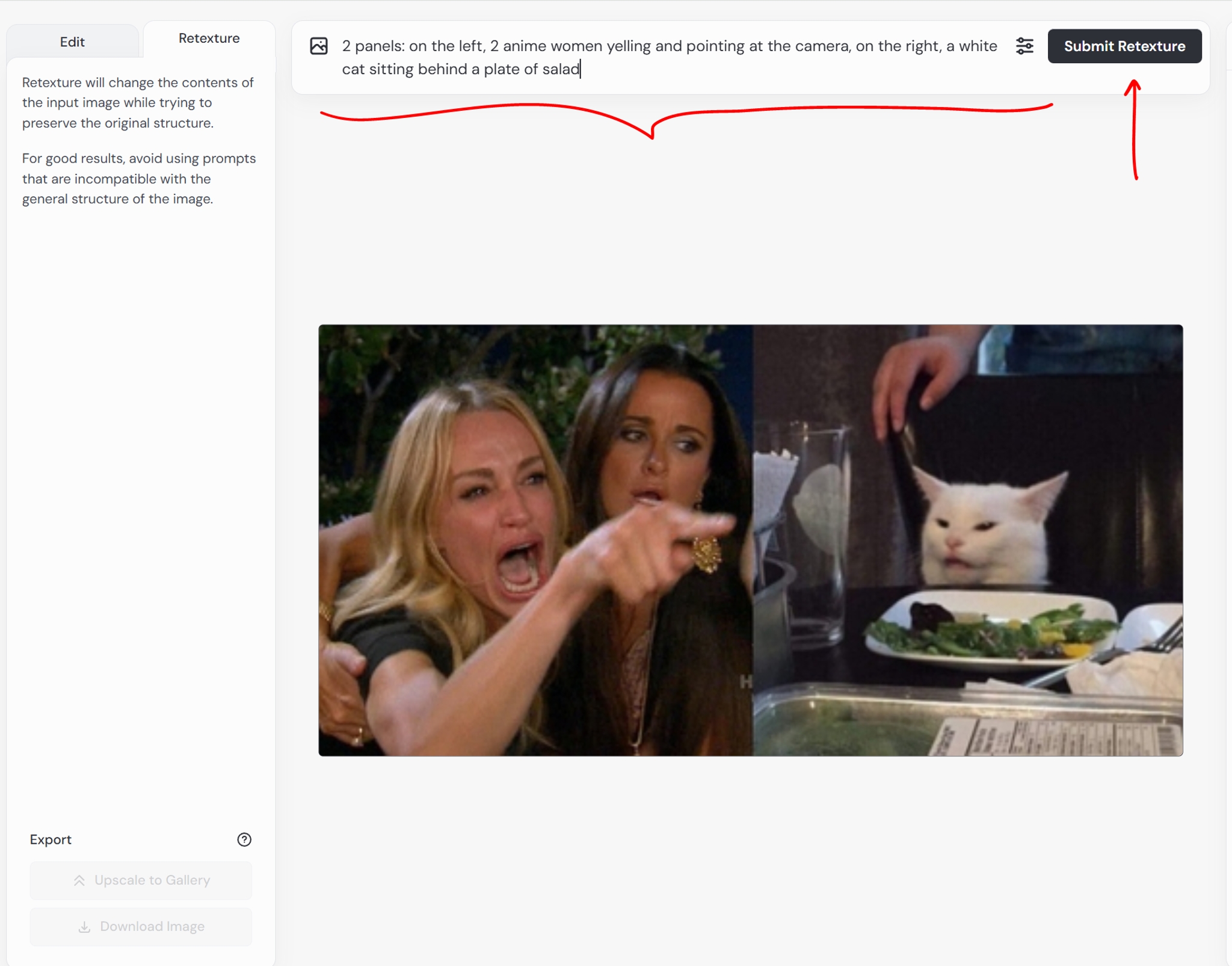
Let us demonstrate on this certain image of two women and a cat.

Follow these steps below to turn your photo into anime with Midjourney/Niji web editor.
Previously, we covered how to use the Midjourney/Niji web editor. You can find those instructions here:
We will be using this web editor interface to manipulate your images
💡
This feature is currently in testing: You must be subscribed continuously for a year or have over 10,000 generations in order to use it!
Go to this link to access the Niji web editor
Or click here on the niji homepage.
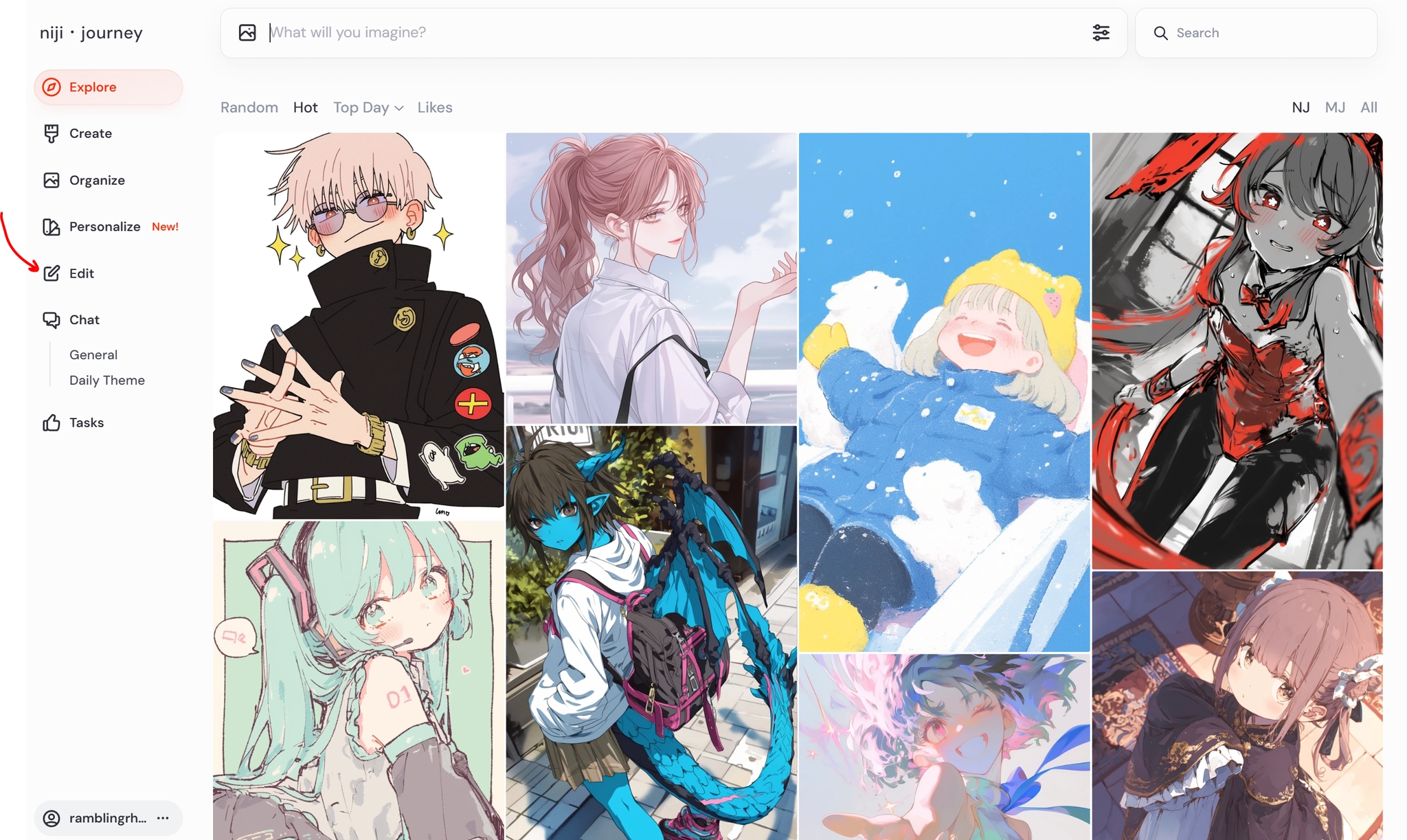
Click the bottom yellow button to upload your image to the web editor.

In the top left corner, select the “Retexture” tab

💡
If you are using the Midjourney web editor, be sure to add --niji 6 at the end of the prompt in order to select the niji model

You can also turn on niji by using the model selection at in the settings:

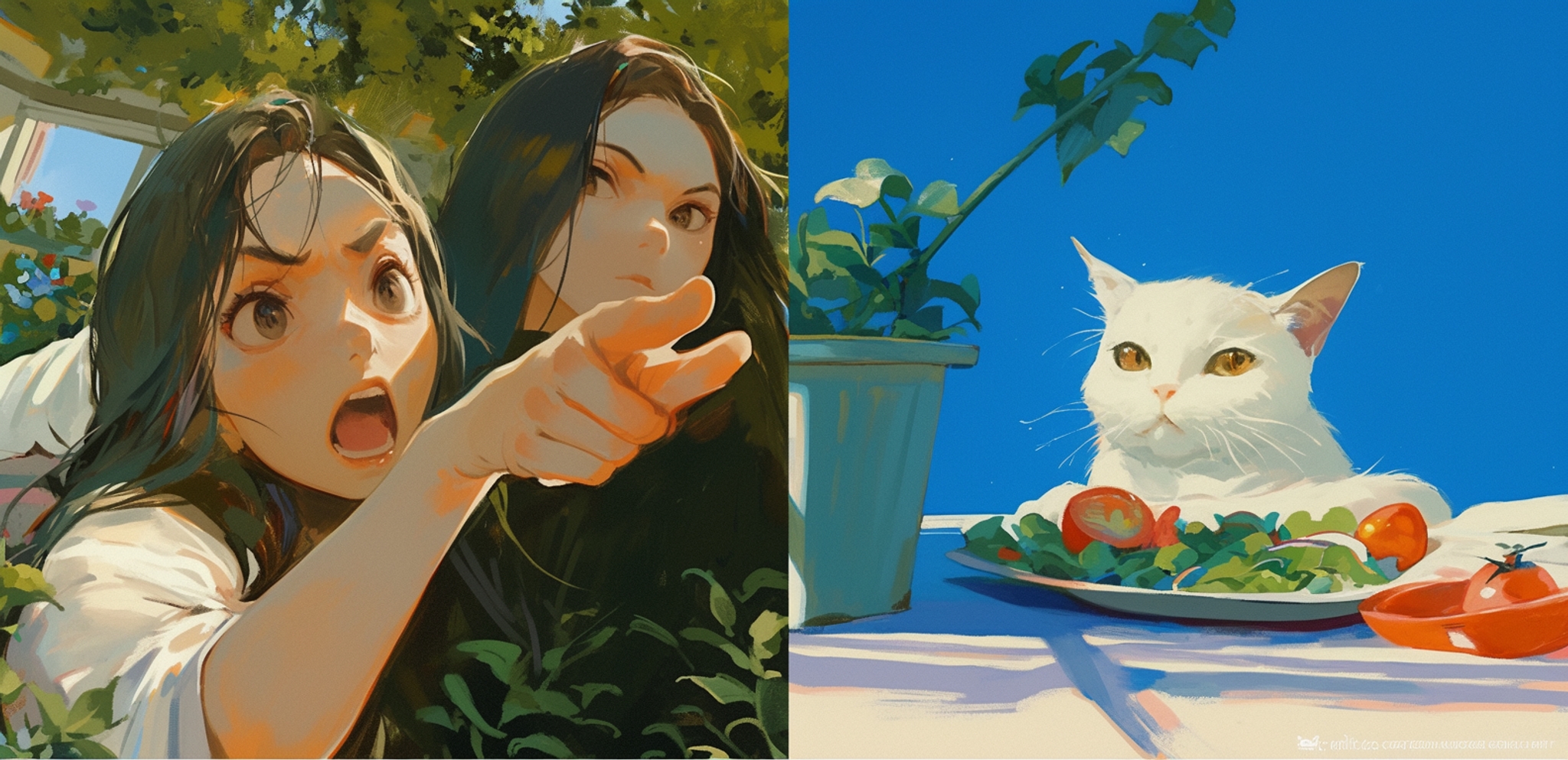
Enter a prompt that describes the picture. For this image of the two women pointing at a cat, I inputted the following prompt:
2 panels: on the left, 2 anime women yelling and pointing at the camera, on the right, a white cat sitting behind a plate of salad
After you enter the prompt, press “Submit Retexture” to get your result.
💡
You must specify the color of the image after retexture, if you are looking for a specific color.
For example, when I made the first sample image, I did not specify a “white cat” in my prompt, and the cat came out orange.

Specifying “white cat” keeps the cat white.
You can use the prompt field to change up how you’d like the picture to appear!
When you turn a photo into an anime picture, you can specify what style you want to see. Simply write the style that you want to see in the prompt.
Prompt:
colored pencil, traditional media, 2 panels: on the left, 2 anime women yelling and pointing at the camera, on the right, a white cat sitting behind a plate of salad

Prompt:
in the style of black and white monochrome manga, 2 panels: on the left, 2 anime women yelling and pointing at the camera, on the right, a white cat sitting behind a plate of salad

When you turn a photo into an anime picture, you can change details. Here, I have changed the outfits of the people in the photo by adjusting a few simple words in the prompt.
Prompt:
2 panels: on the left, 2 anime girls in armor yelling and pointing at the camera, on the right, a white cat sitting behind a plate of salad

Prompt:
2 panels: on the left, 2 anime girls in ballroom gowns yelling and pointing at the camera, on the right, a white cat sitting behind a plate of salad

As you can see from the example, you can express pretty complex scenes! I foresee this will not only be useful for stylizing photos, but also for arranging complex scenes.
Prompt:
anime, a man blushing, staring at a smiling girl in a red dress in the foreground, an angry girl in a blue dress in the background.

I hope you have fun!!! As always, thank you for your support on this journey.
관련 기사
니지・저니
니지・저니는 무엇인가요?
당신만을 위한 맞춤형 애니메이션 일러스트레이션을 그리는 최첨단 AI인 니지・저니에 오신 것을 환영합니다! Spellbrush 및 Midjourney의 뛰어난 정신이 함께 디자인한 마법 같은 콜라보레이션. 귀여운 꼬마 캐릭터를 찾든 역동적인 액션 장면을 찾든 니지・저니는 당신의 비전을 실현할 수 있습니다. 무엇을 만드실지 기대되네요!


어디에서 당신을 만날 수 있을까요?
AI 연구원이고 애니메이션을 좋아한다면, [email protected]으로 이메일을 보내주세요.
아니면, 재능이 있고 구직 중이라면, 채용 페이지에서 다른 자리를 찾을 수 있습니다.
상업적 문의 및 스튜디오 라이선스는 [email protected]으로 문의하세요.