Holiday Niji App Update
2023年12月23日
As our product matures, the audience doesn’t simply demand better image quality, it demands better UI experiences. The most common user requests we’ve seen have been the following:
Finer-grained control over the look of a generation
The ability to sort through generations.
These two desires are the core of what we addressed in Niji Mobile App’s first major update.
If you are familiar with how Vary (Region) works on discord, you understand that it involves marking a section of the image directly and manipulating it. In many ways, it’s a feature more fit for a touchscreen than a mouse, and so we were eager to bring it to mobile.
We’ve been observing what users do via discord, and we’ve made some improvements over the existing interface, for the mobile incarnation. You can access it from this screen, by pressing the “Region” button
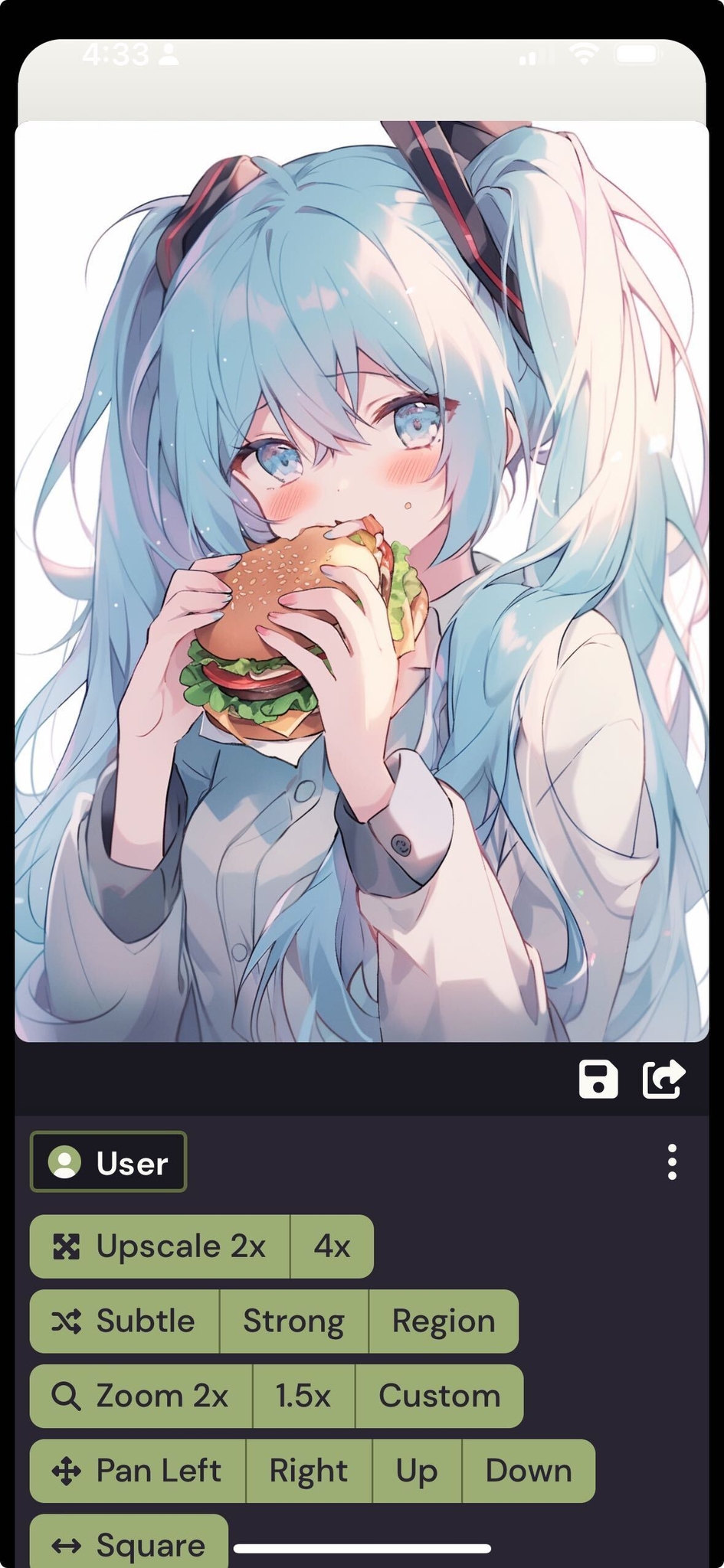
Here are some of the highlights: Instead of a lasso, we’ve chosen a brush to mark up the region to vary.
You can both mark and erase regions, with the brush and eraser tool!

You can access advanced settings (like attaching an image!), by using the bar at the bottom!

As a reminder, inputting an image into the Vary(Region) request will force the image to appear, overriding the aesthetic preferences of the model. (Often to great comedic effect) It’s great for fine operations like changing the color of eyes.
Read here for an advanced guide to Vary(Region) prompting: 🥐 Advanced Vary (Region) Techniques
You can find UI information in the “How to Vary Region (inpainting)” tab in the niji mobile app guide (EN): 👩🎨 How do you create an image in niji・journey? (Mobile)
My friends, you don’t understand how very excited we were to receive our first reports of “I need a way to organize my images” in the #niji-mobile channel. It means that users were making enough pictures on mobile to express the desire to make the space their own!
To answer this need, we designed a seamless experience that would accommodate both casual generating vs. intentional sessions where you’re honing in on a concept.
Here is how the rooms concept works:
By default, all your generations end up in “Your Recent Jobs”, tab
If you press the + sign at the top, you can enter a room, which will hold only the generations submitted into that room. In the below example, this is “Robots”
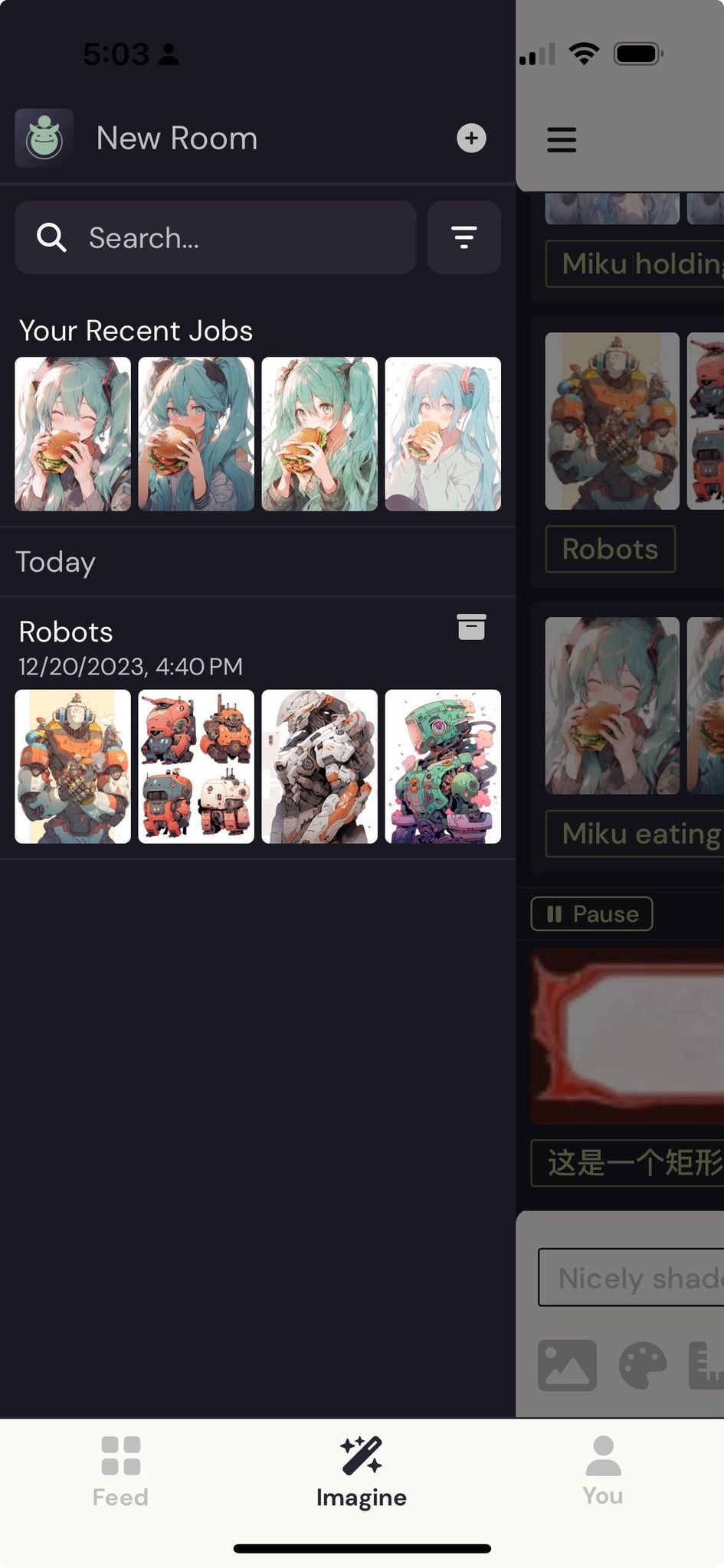
This is the beginnings of a larger organization system we’re developing for the mobile experience: We hope that this serves you well! (Let us know what you think about it!)
You can find information in the “Room system” tab in the niji mobile app guide (EN):
Both MJ and NJ V6 are coming soon(tm)!!!!! We’re very excited about this and we’ll be integrating it as soon as we can! As far as other mobile features go, we have a mix of things both derived off the mobile bot interaction, as well as some new ones made especially for mobile.
As for myself, I’m looking forward to the personal styles: I’ve been using it a lot on the bot recently. (It will be an incredible UI challenge to bring it in, for sure!)
If you have a favorite feature, please feel free to let us know! As always, thank you for your support on this journey.


相关文章
niji・journey
niji・journey 是什么?
欢迎来到 niji・journey。这是一款最先进的 AI 生成器,可以绘制任何二次元风格的图像!本魔法般的工具是由 Spellbrush 与 Midjourney 所共同设计开发的。无论您是在寻找可爱的 Q 版角色还是充满动感的动漫场景,niji・journey 都能将您的想象变为现实。我们迫不及待地想看看您创造了什么!


我们可以在哪里找到您?
如果您是一名 AI 研究人员并且喜欢二次元,欢迎将履历寄至 [email protected]。
如果您是位才华横溢的求知者,可以前往我们的招聘页面上查看其他空缺职位。
如需商业咨询和工作室授权等,请联系 [email protected]。